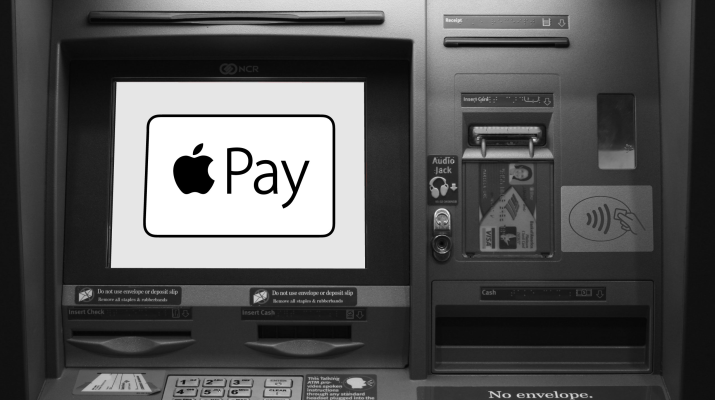
ATM machines that take Apple Pay have revolutionized the way we access cash, marking a significant leap forward in banking technology. As the trend of contactless banking grows, more financial institutions are adapting their ATMs to accommodate Apple Pay, allowing users to enjoy seamless transactions without the hassle of carrying a physical card. In this informative post, we’ll delve into how to use Apple Pay at ATM, the benefits of this modern approach, and the growing network of Apple Pay ATMs across the country. With major banks embracing this advancement, finding Apple Pay ATM locations has never been easier, ensuring a swift and secure banking experience. Join us as we explore the rise of this innovative banking solution and how it can enhance your financial transactions.
The emergence of ATMs supporting contactless payment methods, such as Apple Pay, signifies a transformative shift in how we manage our finances on-the-go. These advanced banking machines offer a speedy and secure alternative to traditional card-based transactions, catering to the increasing demand for convenience among users. Whether you’re in need of a quick cash withdrawal or checking your balance, understanding how to utilize this technology can significantly ease your banking routine. As financial institutions continue to upgrade their ATM technology, a wider array of options will be available, further simplifying your search to find Apple Pay ATM locations nearby. Stay tuned as we unpack the practical advantages and functionalities of these modern cash access points.
The Rise of Contactless Banking and Apple Pay ATMs
The rise of contactless banking is fundamentally reshaping how consumers interact with their finances. With the proliferation of mobile payment technologies, Apple Pay has emerged as a leader, simplifying transactions and improving user experience. This shift towards digital wallets has led to an increasing number of ATM machines that accept Apple Pay, allowing customers to withdraw cash swiftly and securely without the need for traditional debit or credit cards. By embracing this technology, banks are catering to a tech-savvy audience that values convenience and efficiency.
As more consumers become accustomed to using their smartphones for everyday transactions, the demand for Apple Pay ATMs continues to grow. Many major banks have already upgraded their networks to support this functionality, highlighting the significance of contactless payment methods in the modern banking landscape. The integration of Apple Pay not only enhances customer satisfaction but also promotes a safer banking environment by mitigating common issues associated with card theft or loss.
Easy Steps on How to Use Apple Pay at ATMs
Using Apple Pay at ATMs is designed to be a hassle-free experience, ensuring that users can access their funds quickly and securely. To start, it’s essential to check if the ATM is compatible with Apple Pay by looking for the NFC symbol. Once confirmed, users can simply open the Wallet app on their iPhones, select the card they wish to use, and hold their device near the contactless reader. This modern approach not only simplifies cash withdrawals but also streamlines the overall banking process.
After holding the iPhone near the reader, users must authenticate their transactions using Face ID, Touch ID, or their passcode. This additional step enhances security, ensuring that only authorized users can finalize transactions. Once authenticated, customers can withdraw cash or make deposits seamlessly. By understanding how to navigate this new technology, users can fully appreciate the convenience of Apple Pay ATMs and leverage contactless banking to enhance their financial experience.
Finding Apple Pay ATMs Made Simple
Locating nearby Apple Pay ATMs is a straightforward task thanks to various mapping tools and banking apps. One of the easiest ways to find these contactless banking machines is by using Google Maps or the dedicated apps of banks that support Apple Pay. By simply searching for “Apple Pay ATMs near me,” users can access a list of participating locations in their vicinity, making it easy to plan their banking errands based on convenience.
This accessibility is vital for users who prefer cardless transactions, as it allows them to quickly identify the closest available ATMs without the frustration of searching through different locations. As Apple Pay continues to gain traction, mapping technologies are expected to further enhance user experiences by integrating additional features to help locate not only ATMs but also other financial services that embrace contactless payment options.
The Advantages of Using Apple Pay ATMs
The transition to Apple Pay ATMs offers users several advantages over traditional methods of accessing cash. One of the most significant benefits is enhanced security, as the tokenization technology used by Apple Pay ensures that sensitive card details are never shared during transactions. This security measure protects users from potential fraud and identity theft, making it a compelling choice for those concerned about their financial safety.
Another considerable advantage is the convenience that comes with cardless transactions. For many users, the ability to withdraw cash using just their smartphones simplifies their banking routines. No longer needing to carry physical cards means fewer chances of losing them or having them stolen. With quicker transaction times at Apple Pay ATMs, users can enjoy a more efficient banking experience, especially in busy urban areas where lengthy lines can deter individuals from accessing cash.
Frequently Asked Questions
What are Apple Pay ATMs and how do they work?
Apple Pay ATMs are automated teller machines that accept Apple Pay for transactions. To use Apple Pay at these ATMs, ensure the machine has an NFC (Near Field Communication) reader. Simply open your Wallet app, select your payment card, hold your iPhone near the ATM’s reader, authenticate the transaction with Face ID, Touch ID, or your passcode, and follow the prompts to withdraw or deposit cash. This provides a convenient and secure way to access your money without needing a physical card.
How can I find Apple Pay ATMs near me?
Finding Apple Pay ATMs is easy. You can use Google Maps or your bank’s mobile app to locate nearby ATMs that accept Apple Pay. By entering ‘Apple Pay ATMs near me’ in search, you will see a list of participating locations. Additionally, many banks provide a map on their website for users to check the availability of Apple Pay ATMs.
What are the benefits of using Apple Pay at ATMs?
Using Apple Pay at ATMs offers several advantages, including enhanced security through tokenization, which protects your card details during transactions, and the convenience of cardless banking. It eliminates the need to carry physical cards, speeding up transaction times at ATMs, especially during busy hours. Overall, Apple Pay ATMs streamline your banking experience with efficiency and safety.
Which banks support Apple Pay for ATM transactions?
Several major banks support Apple Pay at their ATMs, including Wells Fargo, Bank of America, Chase, Capital One, Citibank, PNC Bank, and TD Bank. These banks have upgraded their ATM networks to facilitate contactless transactions, allowing customers to access their money easily and securely using Apple Pay. Be sure to check with your bank for specific ATM locations that accept this feature.
| Key Points | Description |
|---|---|
| Introduction | Overview of the innovation of ATM machines accepting Apple Pay and the rise of contactless payments. |
| Growth of Apple Pay ATMs | Significant increase in ATMs accepting Apple Pay, with major banks leading the way to improve customer convenience and security. |
| How to Use Apple Pay at ATMs | Instructions include checking compatibility, using the Wallet app, and authenticating the transaction for security. |
| Finding Apple Pay ATMs | Users can find Apple Pay ATMs easily via Google Maps or bank apps by searching “Apple Pay ATMs near me.” |
| Benefits of Using Apple Pay at ATMs | Advantages include enhanced security, convenience of cardless transactions, and quicker withdrawals. |
| Adoption Challenges | Not all ATMs support Apple Pay yet, requiring users to check compatibility and bank support. |
| Participating Banks | Major banks including Wells Fargo, Bank of America, Chase, and others are integrating Apple Pay into their ATM services. |
Summary
ATM machines that take Apple Pay are revolutionizing the way users interact with banking services. This advancement in technology not only provides convenience and flexibility but also enhances transaction security, aligning perfectly with the growing trend towards digital banking. With more users seeking easy and efficient methods to access cash, Apple Pay ATMs are empowering customers to bypass the need for physical cards, thereby improving their overall banking experience. As more banks adopt this innovative service, the benefits of using ATM machines that take Apple Pay will become even more prominent, paving the way for a seamless and modern financial experience.
Apple Pay ATMs are a modern solution that allows users to access their bank accounts and perform transactions using their smartphones. As contactless banking gains popularity, many financial institutions are upgrading their ATM technology to support mobile payment systems like Apple Pay. Users can simply tap their iPhone or Apple Watch on the ATM’s contactless reader, making it a quick and efficient way to withdraw cash or manage their accounts without needing physical cards.
To use Apple Pay at an ATM, travelers and locals alike need to ensure they have added their debit or credit cards to their Apple Wallet and that the ATM is compatible with Apple Pay. When at the ATM, users can follow a few simple steps: first, wake up their device and access Apple Wallet, then hold their phone near the contactless symbol on the ATM to connect, and finally authenticate using Face ID or Touch ID. This seamless integration not only enhances user convenience but also helps in maintaining a secure transaction process.
Finding an Apple Pay ATM is easier than ever, as several mobile banking apps and websites offer ATM locators that filter for contactless payment options. Users can check with their bank’s app or the official Apple website to identify nearby ATMs that accept Apple Pay. A growing number of major banking networks and independent ATMs across cities and rural areas alike are adopting this feature, allowing users to perform transactions with peace of mind and fewer concerns about carrying cash or cards.
As ATM technology continues to evolve, the integration of services like Apple Pay signifies a shift towards more user-friendly banking experiences. Not only do Apple Pay ATMs provide greater convenience, but they also focus on enhancing security, as biometric authentication reduces the risk of unauthorized transactions. With more ATMs offering this functionality, users can expect a smoother banking experience that aligns with their digital lifestyles.
In summary, Apple Pay ATMs represent a significant advancement in contactless banking, providing users with efficient and secure access to their funds. By leveraging smartphone technology, these ATMs cater to the increasing demand for modern banking practices. With simple steps to follow, finding and using an Apple Pay ATM can make traditional transactions feel more modern and streamlined.